
Download and installation paths
We offer three ways to access mahjong138 on your mobile device: the Android APK (direct download), the iOS web app (Safari shortcut), and the responsive web version. Android users typically choose the APK for faster performance and offline features. iPhone users access mahjong138 via Safari and can save it to their home screen as a web app. Both paths let you deposit, play, and withdraw—no differences in functionality.
Installation walkthrough
Step 1: Download the APK (Android) or open Safari (iOS). Android users navigate to our download link and tap "Download." iOS users open Safari, visit mahjong138.bet, and tap the Share button to add mahjong138 to their home screen. Web users simply visit the site in any browser.
Step 2: Complete the installation. Android will prompt you to install from "Unknown Sources" (because the app is not from Google Play). Tap "Install" to proceed. iOS users confirm "Add to Home Screen" and wait a few seconds. Web users are ready immediately.
Step 3: Open mahjong138 and register or log in. The app opens to the login screen. New users tap "Open an account," enter their email and phone number, and create a password. Existing users log in with their username or email. Verification happens via SMS code.
Step 4: Add a payment method and deposit. Once verified, navigate to "Deposit" and select QRIS, e-wallet, mobile banking, local payment, online payment, e-wallet, or direct bank transfer (mobile banking, local payment, online payment, e-wallet). Enter your amount and confirm. Most deposits complete instantly. Your balance is then ready for live-dealer tables, slots, or sportsbook betting.

App versus browser: which should you choose?
Our mahjong138 app (Android APK or iOS web app) loads faster than the browser version because it caches your account data, recent games, and payment methods locally. The app also receives push notifications—alerts when a live-dealer blackjack table opens, when a Liga 1 match is about to begin, or when your withdrawal is approved. The browser version offers the same games and payment options but without offline caching or notifications.
The app is best if you play multiple times per week. The browser is fine if you access mahjong138 occasionally or prefer not to install anything. Both are equally secure and connected to the same account; switching between them is seamless.
App benefits at a glance
- Faster startup: caches your account and recent games locally
- Push notifications: alerts for table openings, sports events, and withdrawals
- Offline feature list: view available games and payment methods without internet
- Lower bandwidth: app adapts video quality to your connection
- Home screen icon: one-tap access from your phone's main screen
Device compatibility
Our mahjong138 app runs on Android 7.0 and later, and iOS 12 and later. Most phones manufactured in the last five years meet these requirements. If you're unsure whether your device is compatible, download the app and try to install it; the system will reject it if your phone is too old. You can always use the web version instead, which works on older devices.
The app requires between 50 and 100 MB of storage space after installation. It also uses between 10 and 50 MB of data per hour, depending on video quality and your game choice. Sportsbook and slots use less bandwidth than live-dealer tables; if you're on a limited data plan, consider playing slots or betting during off-peak hours when server load is lower.
Common installation issues
Android: "Unknown sources" warning. Our app is not in Google Play, so Android shows a security warning. Tap "Install Anyway" or "Allow from this source" to proceed. We do not distribute malware or malicious code; this warning is a standard Android safety feature for any app outside the official store.
iOS: Web app not saving to home screen. Make sure you're using Safari, not Chrome or another browser. Tap the Share button (arrow icon), scroll down, and select "Add to Home Screen." The app icon appears within a few seconds and works like a native app.
App won't connect to our servers. Check your internet connection. Turn off Wi-Fi and try mobile data, or vice versa. Clear the app cache (Settings > Apps > mahjong138 > Storage > Clear Cache) and try again. If the problem persists, uninstall and reinstall the app. Your account and balance are safe; they're stored on our servers, not your phone.
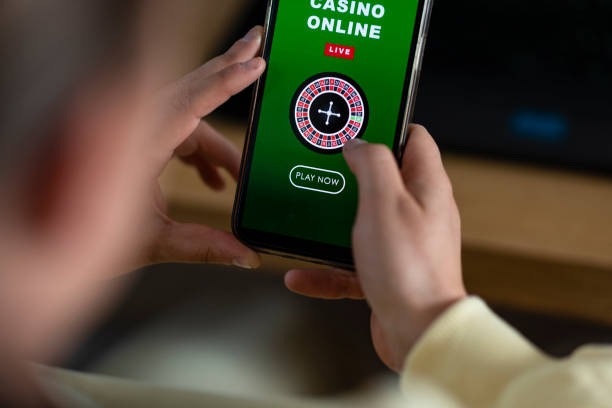
Data, permissions, and security
Our mahjong138 app requests permission to send notifications (for table alerts and withdrawals), access your camera (for video calls with support if needed), and use your phone's storage (to cache your account data). We do not access your contacts, photos, or location. All data sent between the app and our servers is encrypted using industry-standard SSL/TLS protocols.
Your account login credentials are not stored on your phone in plain text. The app uses secure session tokens that expire after a period of inactivity, requiring you to log in again. If you uninstall the app, all cached data is deleted. If your phone is stolen, someone cannot access your mahjong138 account without your password; they can only view the login screen.
We recommend enabling two-factor authentication in your account settings (under Security). When enabled, login requires an SMS code in addition to your password, even on the app. This protects your account if someone learns your password. You can also log out remotely from any device by visiting your account settings on another device or contacting our support team.
Playing on the go with mahjong138
Whether you're commuting to Jakarta, waiting at an airport in Surabaya, or at home in Bandung, the mahjong138 app lets you access live-dealer blackjack, roulette, slots like Sweet Bonanza and Aviator, or sportsbook markets (Liga 1, Piala AFF, Champions League) without needing a computer. The app syncs your balance and transaction history in real time, so your account shows the same balance whether you're on the app or logged in via browser.
Push notifications keep you informed: when a live-dealer baccarat table opens with a minimum bet you prefer, or when a Liga 1 fixture is about to kick off. You can also check your withdrawal status directly in the app; once approved, funds arrive in your mobile banking, local payment, online payment, e-wallet, mobile banking, or bank account within hours, depending on your payment method.